An employee opens the company’s AI assistant and asks a question. During the pilot, the assistant answered quickly. Now that more people are using it, the same question sometimes takes much longer. What changed?
The model may be exactly the same. But more requests are arriving together. Some questions require the assistant to search internal documents before answering. More complex tasks may involve an AI agent checking information across several applications. Each extra step can add to the time a user waits.
This is the challenge of production inference: using a trained AI model to answer real requests, consistently, throughout the working day. For enterprises deploying large language models (LLMs), retrieval-augmented generation (RAG) and AI agents, fast GPU hardware is important. So is understanding the complete path from a user’s request to the final response.
Why a Fast AI Model Can Still Deliver a Slow Response
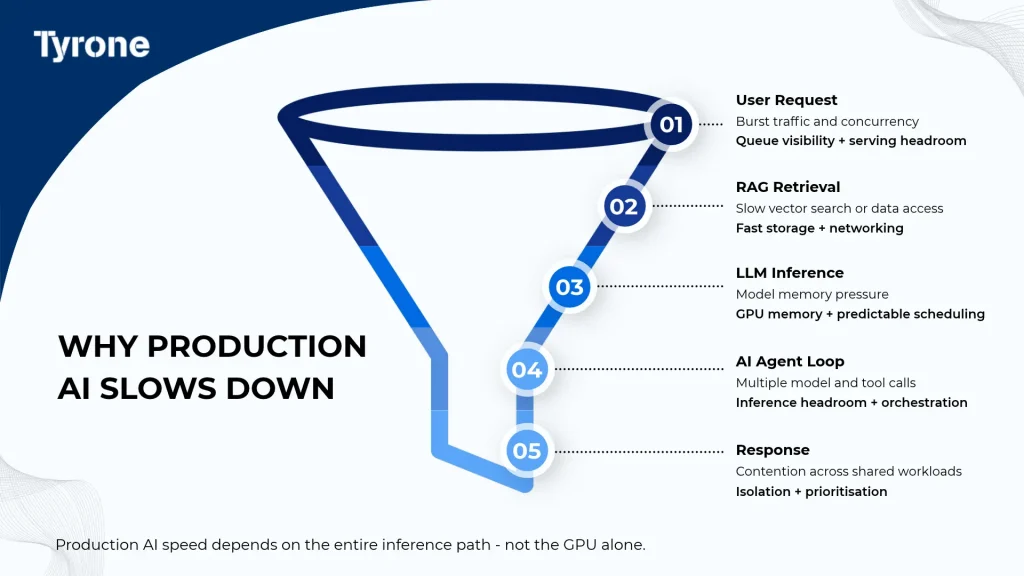
1. More users mean more requests waiting to be processed
In a demonstration, a model may handle one request at a time. After rollout, employees and applications can send many requests at once. The inference system must decide how to process them and allocate GPU capacity to each request. If demand rises beyond available serving capacity, requests may wait in a queue.
The serving system also needs memory for model weights and active inference sequences, including the key-value (KV) cache used to retain attention-related information across tokens. Longer input contexts and more concurrent sequences can increase memory requirements, potentially limiting how many requests the system can serve simultaneously.
What matters for infrastructure planning: test both response time and the number of requests the system can handle together. A single fast result does not show how the service will behave on a busy day.
2. RAG must find information before the model can answer
Imagine that the employee asks the assistant about a company policy. The model may need current information from internal documents rather than relying only on what it learned during training. That is where RAG comes in.
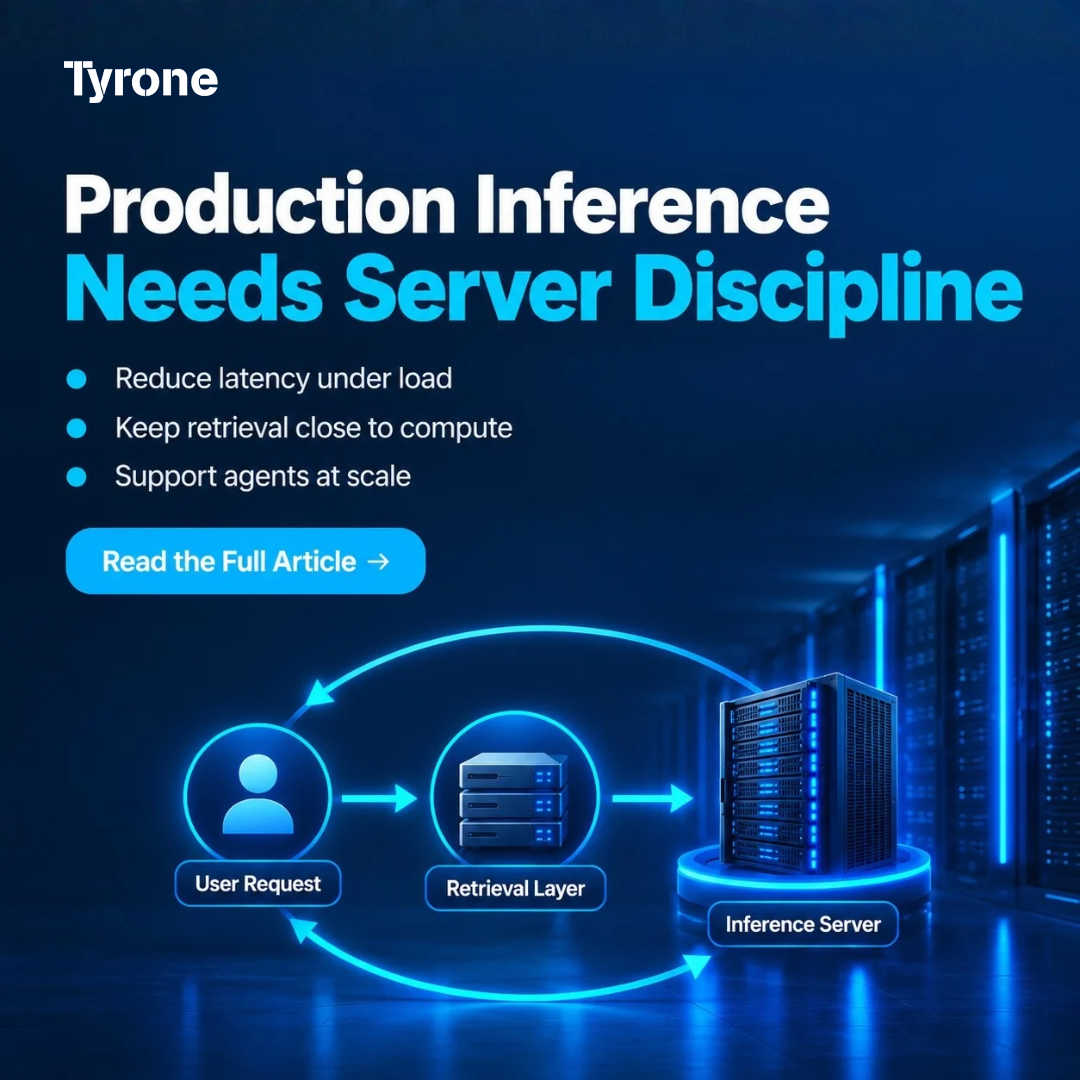
A RAG application retrieves relevant information from approved data sources and adds it to the model’s input. Depending on the architecture, the retrieval pipeline may search a vector database or other index, retrieve relevant passages, and optionally rerank them before adding the selected context to the model’s input. Only then does the model generate the answer.
If that search is slow, the employee waits – even if the GPU can generate text quickly. Storage, retrieval software, network connections and the amount of context passed to the model can all affect the result. Retrieval quality also matters: a faster server cannot make an irrelevant document useful.
3. AI agents can turn one request into several tasks
Now suppose the employee asks the assistant to check an order, verify its status and prepare an update. An AI agent may need to call a model, access a business application, check the returned information and call the model again before responding.
To the employee, this is one task. To the infrastructure, it may be several model requests combined with external tool calls. If these actions happen in sequence, their waiting times can add up. The speed of a connected business system may be just as important as the speed of inference.
This is why agent workloads should be sized around the work performed per task, not only the number of people using the application.
The main sources of delay differ by workload, and many enterprise environments also run analytics and background jobs alongside inference.
| Production Workload | What Creates Delay | Infrastructure Priority |
| LLM inference | Concurrent requests and model memory pressure | GPU capacity, model residency and predictable scheduling |
| RAG | Retrieval, vector search and data movement | Fast storage, networking and tight retrieval-to-inference path |
| AI agents | Multiple model and tool calls per task | Inference headroom, orchestration and queue control |
| Enterprise analytics | Large data preparation and mixed compute | CPU/GPU balance, system memory and storage throughput |
| Mixed production services | Competing workloads on shared servers | Isolation, prioritisation and capacity visibility |
| Explore the Tyrone Camarero Series for production LLM inference, RAG and enterprise AI infrastructure: https://tyronesystems.com/servers/Latest_Generation.php |
How to Build an AI Server Environment That Stays Responsive
Measure the whole response, not only GPU performance
Before increasing hardware capacity, teams need to identify where users are waiting. Is a request queued? Is the retrieval system slow? Is the model taking longer to produce its first words? Or is an agent waiting for an external tool?
Monitoring these stages under realistic traffic makes the answer clearer. It helps teams distinguish a shortage of GPU resources from a data-access or application-design problem. That distinction matters because adding more accelerators will not resolve every bottleneck.
Match GPU memory and compute to real serving demand
AI servers need enough accelerator memory for model weights and the active requests being processed. Model size, numerical precision, prompt length, generated output and concurrency all affect sizing. Keeping frequently used models loaded in GPU memory, where practical, can also avoid repeated loading delays.
Rather than selecting a server by its GPU count alone, teams should test the model with representative workloads and define acceptable response times. This shows when additional memory, serving replicas or accelerator capacity may be required.
Plan the supporting data and compute resources
The GPU performs much of the model computation, but other parts of the service still rely on CPUs, system memory, databases, storage and networking. RAG needs efficient access to enterprise information. Agent workflows need reliable connections to the applications they use.
An effective infrastructure design balances these components. Fast storage is useful when local model files or datasets must be accessed frequently, but a distributed RAG application may depend more heavily on the performance of its database and network connections.
Protect live AI services from competing workloads
Enterprises may run production inference alongside development, analytics or long-running fine-tuning jobs. Sharing infrastructure can be practical, but the workloads do not all have the same urgency.
A customer-facing assistant needs consistent availability; an overnight training job may be more flexible. Scheduling, resource isolation, monitoring and clear service priorities help prevent one workload from consuming capacity needed by another. Teams should also plan how requests will be managed during sudden peaks in demand.
Where the Tyrone Camarero Series fits
The Tyrone Camarero Series offers GPU-optimised server options that enterprises can evaluate when building shared AI compute and production inference environments. Infrastructure teams can select from different accelerator capacities and supporting CPU, memory, storage and expansion capabilities to match their workload needs.
The right configuration is determined by the application, not by a specification in isolation. Expected concurrency, model memory requirements, retrieval architecture, serving software and operational targets all need to be assessed together. Server hardware provides the compute foundation; the complete AI service depends on how that foundation is deployed and managed.
Conclusion: design for the user’s experience
A fast model is only one part of a fast AI service. In production, requests can queue, RAG can add retrieval time and AI agents can introduce several linked steps. The more widely an application is used, the more important those delays become.
By measuring the full request-to-response journey and designing AI servers around real traffic, data access and workload priorities, enterprises can turn a promising AI pilot into a service that employees can depend on.
| Planning always-on LLM inference, RAG or agentic AI? Talk to a Tyrone AI infrastructure specialist about production workload mapping, serving capacity and the Tyrone Camarero Series. |
Frequently Asked Questions
What makes a GPU server suitable for inference?
A GPU server suitable for inference has sufficient accelerator compute and memory for the models and number of active requests it must serve. CPU resources, storage, networking and inference software also need to support the required response times.
Why can RAG be slow even with powerful GPUs?
RAG retrieves information before the model generates a response. Slow search, data access, optional reranking or large amounts of retrieved context can increase total response time, even when GPU inference is fast.
Do AI agents need more inference capacity than chat applications?
They can. An AI agent may make several model calls and access external tools for one user request. The capacity needed depends on workflow design, the number of steps and how many tasks run simultaneously.
How should enterprises choose AI servers for production?
Start with the actual application: model size, concurrent requests, prompt length, data access and performance targets. Test the full workflow, then select a server configuration with suitable GPU, CPU, memory, storage and networking resources.